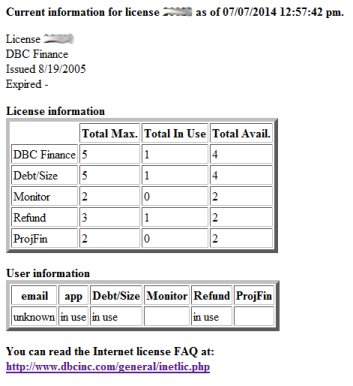
Retrieve Internet license status
It is possible to retrieve the current status of the Internet license.
First, even if you are not a user, you must have already installed and activated an Internet license. This won't affect the ability of users to run DBC programs.
Then:
- Double-click on help.exe (the Internet license installer) which is found in the same directory as the DBC program. If you are not a user, you only need help.exe. You do not need an entire DBC installation.
- Hit Status. A web page will be opened for each Internet license.
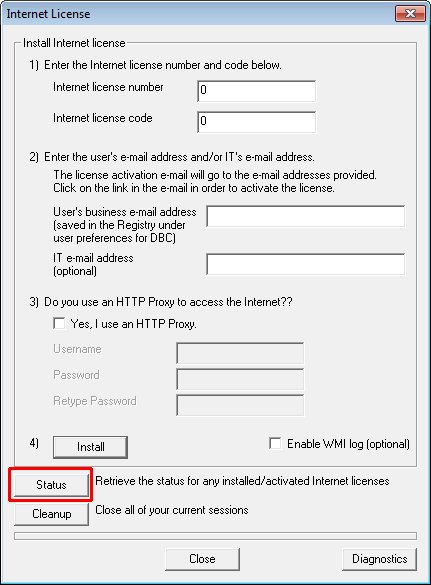
This is the same informantion you would see if you were in a DBC program.
To see the webpage in a DBC program, hit License on the Toolbar, hit Info and hit Webpage.
Feel free to use the information on the webpage as you see fit. DBC does not provide usage reports or user lists and has no responsibility to do so.
Sample web page
Below is an example of a webpage with the status of a DBC Finance license.
Before requesting support through the DBC program, the user provides their name, company, e-mail address and phone number under Preferences or System Preferences. That e-mail address is the method of identifying the user. If no e-mail address was provided, unknown will be listed.