Showing hidden files and extensions
There are a few instances where DBC programs expect to find files with a .set extension (e.g. finance.set) or an .ips extension (e.g. dbcappsv.ips). Users sometimes incorrectly name those files finance.set.txt or dbcappsv.ips.txt. DBC programs will ignore the incorrectly renamed files.
When exporting the user preferences, they are saved in a .sys file (e.g. finance.sys). Files with a .sys extension are normally not displayed in Windows Explorer or a File Open dialog.
Described below is long-established, basic Windows functionality and is beyond the scope of DBC support. Consult your Windows documentation for further assistance.
Displaying file extensions (i.e. full file names)
|
Many file names have extensions that are not displayed by default (e.g. .txt).
Files with certain extensions are hidden by default (e.g. .sys).
Sometimes this leads to confusion.
To make sure extensions are shown and no files are hidden, in Windows Explorer, change the settings as shown. |
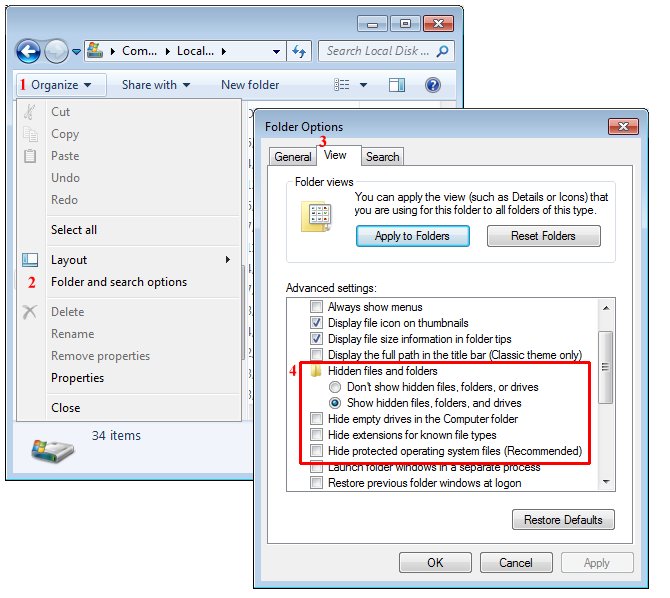
|
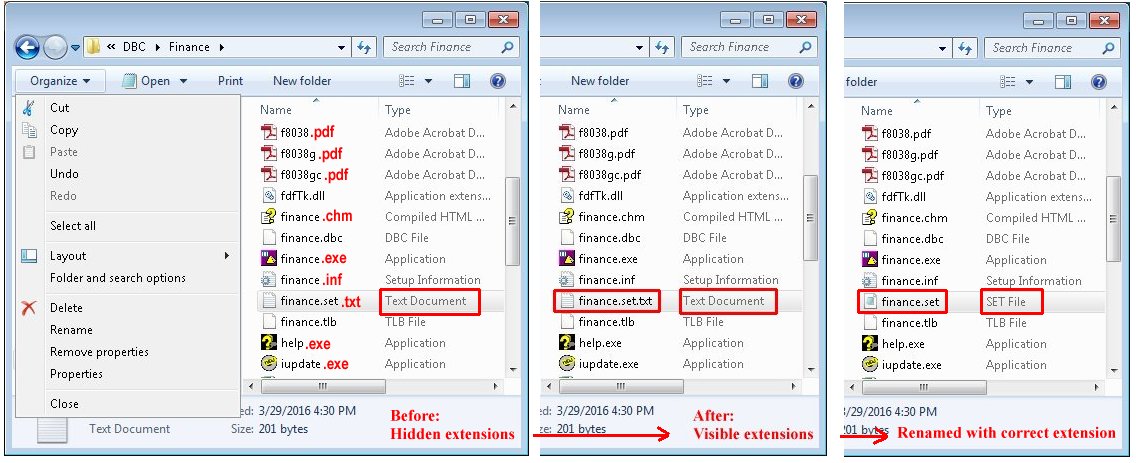
Observe how Windows Explorer appears when extensions are displayed.
This allows finance.set.txt to be renamed to finance.set in Windows Explorer.
Or rename the file in a Command window.
Creating a text file (e.g. finance.set or dbcappsv.ips)
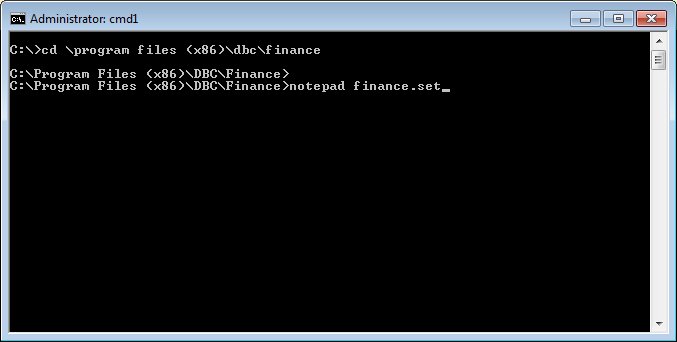
Note: when creating a file and the file name is specified on the command line, that name will always be used regardless of any changes made in Windows Explorer, there is never an implied extension. For example, Notepad will create finance.set, it will never create finance.set.txt. |
|