In DBC Finance, why is "New" disabled ?
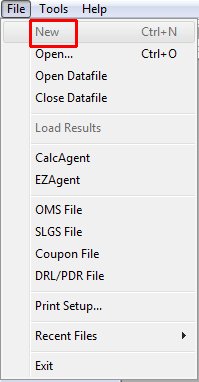
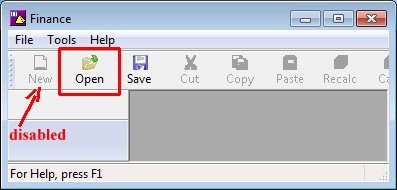
In the File menu, New is disabled by default.
Just like in MS Word, New will create a new unnamed document (i.e. a Series).
But using New in DBC Finance tends to cause more problems than it solves.
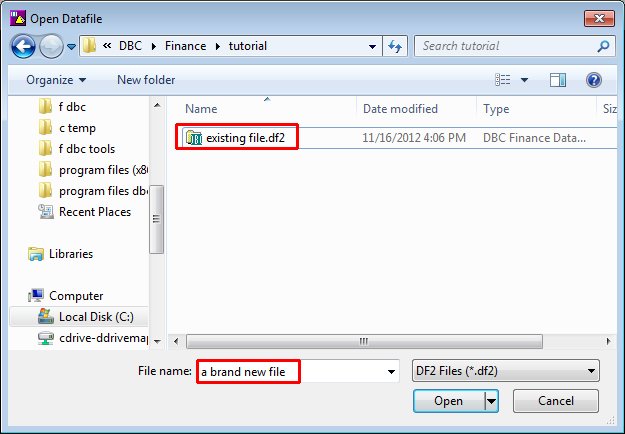
This is because having multiple unnamed documents becomes confusing if you have to refer to them from other documents. And it becomes confusing later if you have to name the documents when you save them. Creating and naming the datafile and documents when you create them is preferable.
Datafiles
To access or create a datafile, hit the Open button on the Toolbar (or File | Open). The Open Datafile dialog appears.
|
|
To access a datafile in the samples or tutorial folders distributed with DBC Finance, the user should copy them to another location.
For more information:
https://dbcinc.com/dbcsupport/samptut.php
Issuers
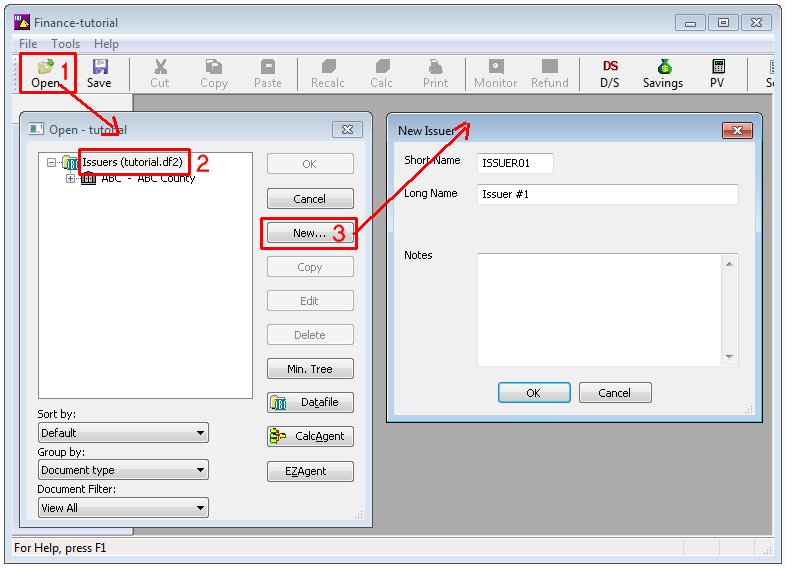
To create an issuer, you should have already opened a datafile (e.g. tutorial.df2).
|
|
Documents (Series, Case, Financing)
To create a document, you should have already opened a datafile (e.g. tutorial.df2).
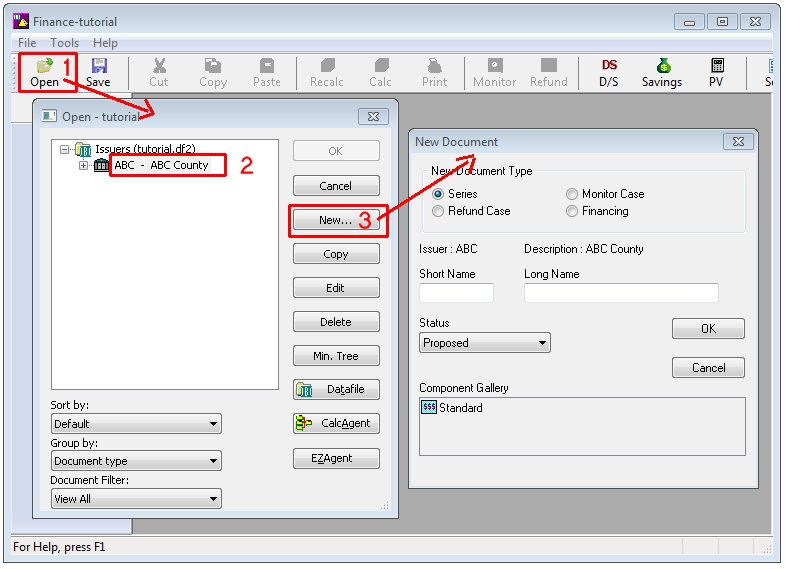
|
|